Nikhil Patil
👨💻 I love Linux & DevOps! 💻
🐧 Linux👨💻 | DevOps & Cloud Enthusiast | 🌍 Azure Admin | 🛠️ Ansible | 📂 Git | 🐳 Docker | 🔑 OpenLDAP | 🖥️ System Admin | | 🚀 Jenkins 🛠️
🏠 Pune
🌟 I'm really into using and managing computers with Linux. I also like making things work smoothly and quickly.
📖 I work with Microsoft Azure, use tools like Ansible and Git to automate tasks, and make software run in containers with Docker.
🔒 I handle access and security using OpenLDAP, and I'm all about keeping systems running smoothly.
🌐 Exploring opportunities in cloud and DevOps.
📧 Get in touch: nikrpatil1997@gmail.com
📌 Task 1: Familiarize yourself with HCL syntax used in Terraform
Learn about HCL blocks, parameters, and arguments
Blocks -
HCL uses blocks for different sections and resources in a configuration. HCL files are typically .tf extension and it contains configuration for infrastructure creation.
Parameters -
Parameters are the key-value pair inside the block that define the attributes of the resource
Argument -
Arguments are the values that are assigned to parameters.
resource "resource_name" "resource_lable" {
parameter1 = value
parameter2 = value
}
In the above block resource_name is a resource that we want to create and the resource_label is the name of the resource and the parameters and their value required for configuration
Explore the different types of resources and data sources available in Terraform
We will see some resources for Azure
resource "azurerm_resource_group" "testrg" {
name = Nikhil-RG
location = "eastus"
}
So the above block we defined a block for the creation of an Azure resource group The resource is azurerm_resource_group and label is testrg and the name, and location are the parameters.
📌 Task 2: Understand variables, data types, and expressions in HCL
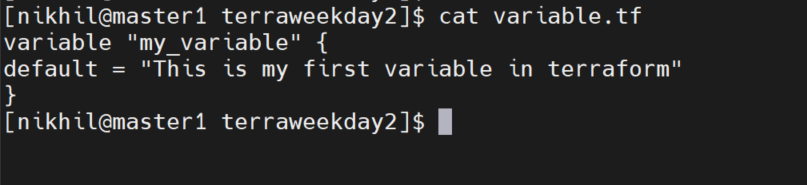
Create a variable.tf file and define a variable.
Create the file variable.tf
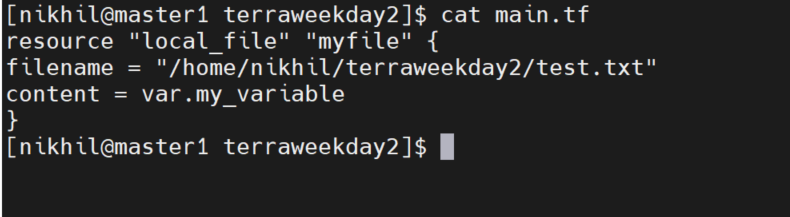
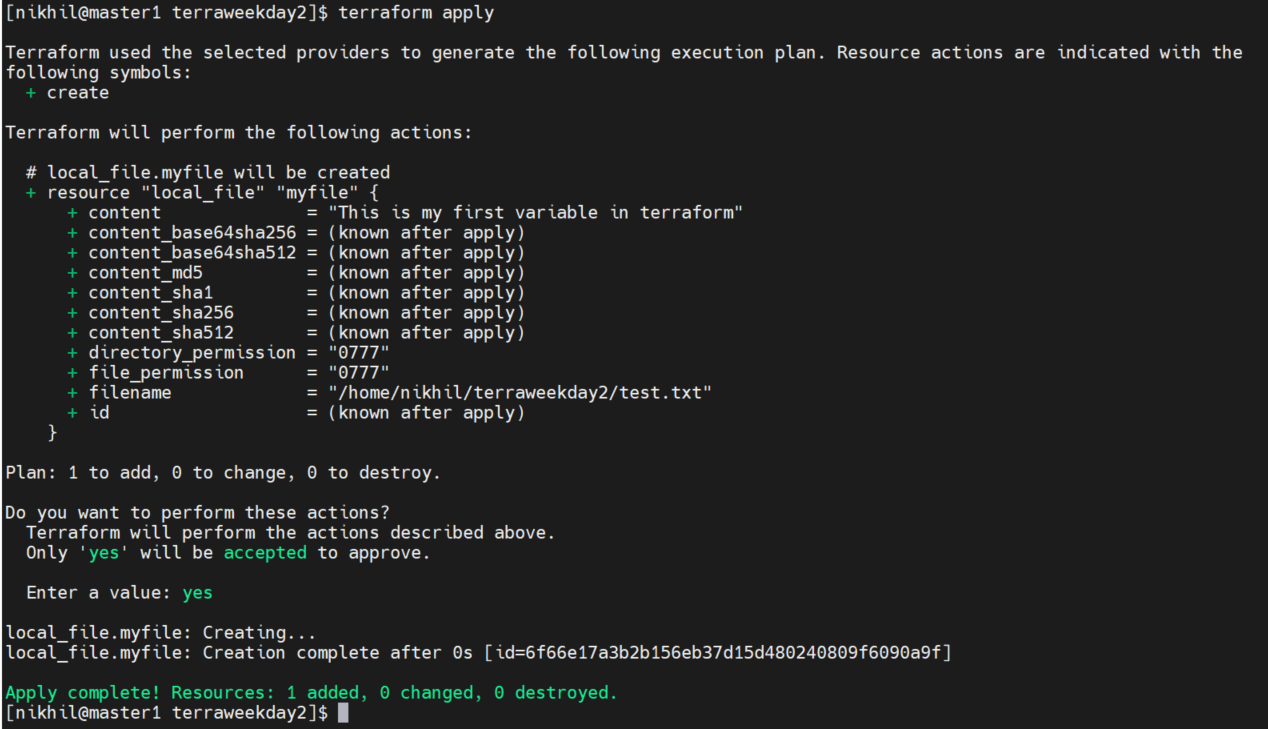
Use the variable in a main.tf file to create a "local_file" resource
Create the main.tf
Apply the file

📌 Task 3: Practice writing Terraform configurations using HCL syntax
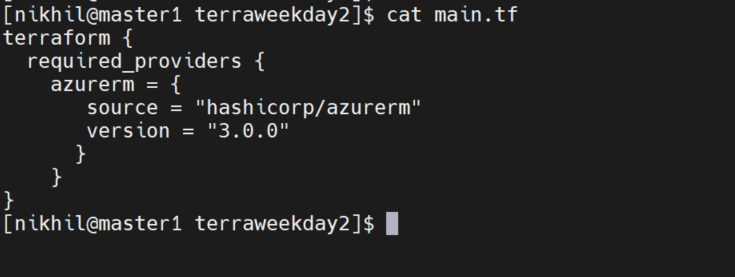
Add required_providers to your configuration, such as Docker, AWS, or Azure
In the below block, we added the provider for Azure
Test your configuration using the Terraform CLI and make any necessary adjustments
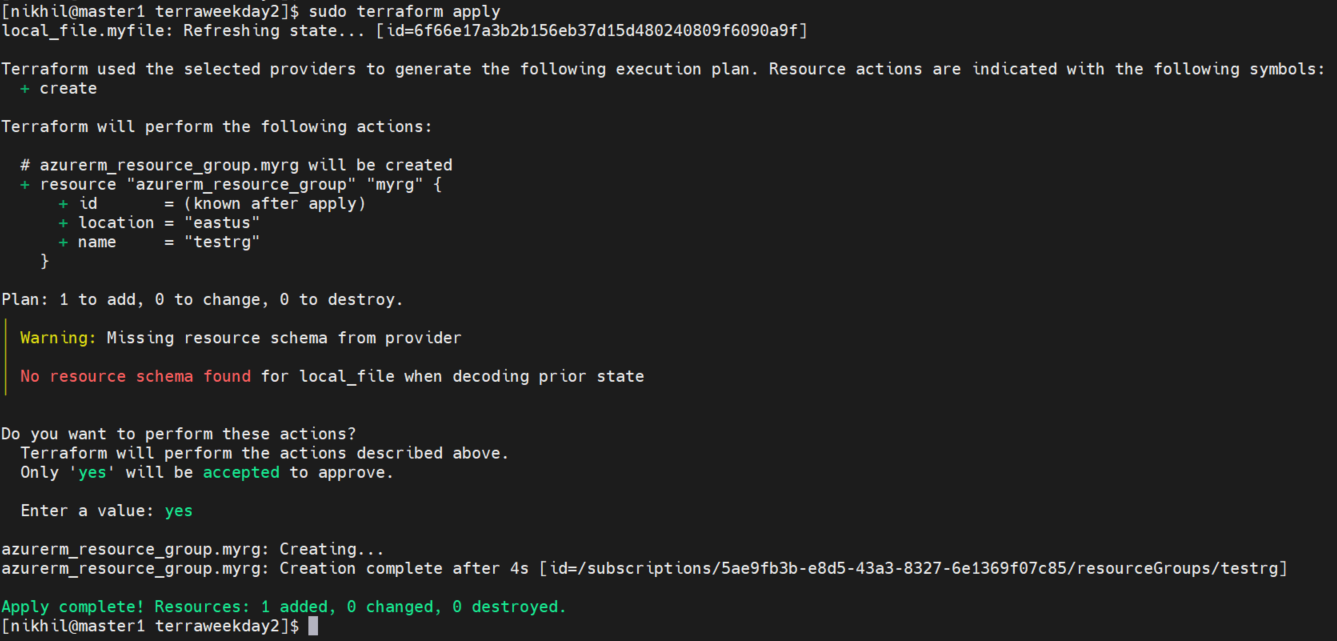
Now we will create one resource group in Azure to test the configurations.
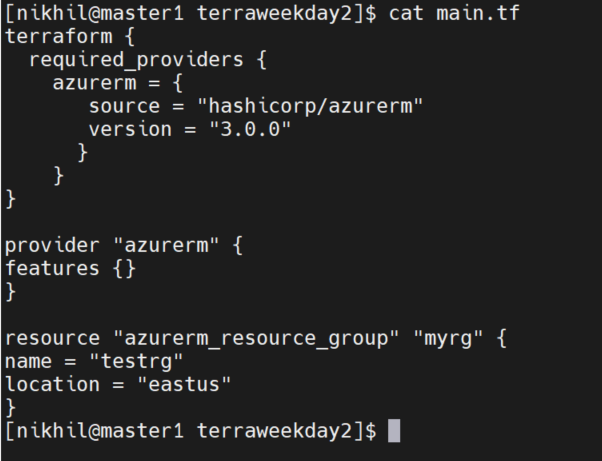
Apply the file to create resources
successfully created a resource group using the terraform apply command