Kubernetes Assignment
Nikhil Patil
👨💻 I love Linux & DevOps! 💻
🐧 Linux👨💻 | DevOps & Cloud Enthusiast | 🌍 Azure Admin | 🛠️ Ansible | 📂 Git | 🐳 Docker | 🔑 OpenLDAP | 🖥️ System Admin | | 🚀 Jenkins 🛠️
🏠 Pune
🌟 I'm really into using and managing computers with Linux. I also like making things work smoothly and quickly.
📖 I work with Microsoft Azure, use tools like Ansible and Git to automate tasks, and make software run in containers with Docker.
🔒 I handle access and security using OpenLDAP, and I'm all about keeping systems running smoothly.
🌐 Exploring opportunities in cloud and DevOps.
📧 Get in touch: nikrpatil1997@gmail.com
🚀 Deployment of a Microservices Application on K8s
Do Mongo Db Deployment 📦
Do Flask App Deployment 📦
Connect both using Service Discovery 🔄
Clone the files to the local system
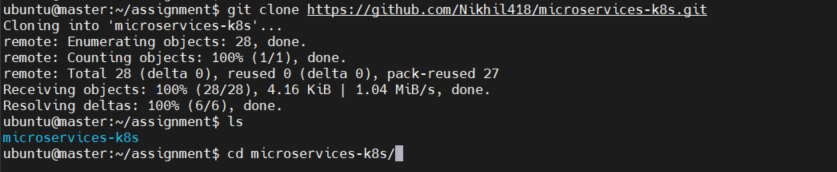
Run ls to list all the files and go to the k8s folder to see all files of the Mongo DB file
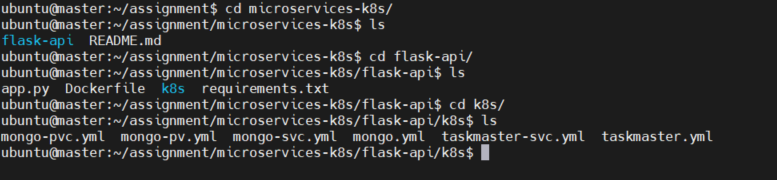
Create mongopv.yml to create the persistent volume
apiVersion: v1
kind: PersistentVolume
metadata:
  name: mongo-pv
spec:
  capacity:
    storage: 256Mi
  accessModes:
    - ReadWriteOnce
  hostPath:
    path: /tmp/db

Create a mongo-pvc.yml file to claim persistent volume
kind: PersistentVolumeClaim
metadata:
  name: mongo-pvc
spec:
  accessModes:
    - ReadWriteOnce
  resources:
    requests:
      storage: 256Mi

Create mongo-svc.yml for service
apiVersion: v1
kind: Service
metadata:
  labels:
    app: mongo
  name: mongo
spec:
  ports:
    - port: 27017
      targetPort: 27017
  selector:
    app: mongo

Create a mongo.yml file to create Mongo deployment
apiVersion: apps/v1
kind: Deployment
metadata:
  name: mongo
  labels:
      app: mongo
spec:
  selector:
    matchLabels:
      app: mongo
  template:
    metadata:
      labels:
        app: mongo
    spec:
      containers:
        - name: mongo
          image: mongo
          ports:
            - containerPort: 27017
          volumeMounts:
            - name: storage
              mountPath: /data/db
      volumes:
        - name: storage
          persistentVolumeClaim:
            claimName: mongo-pvc

Get the pods

Create the taskmaster.yml for deployment.
apiVersion: apps/v1
kind: Deployment
metadata:
  name: taskmaster
  labels:
    app: taskmaster
spec:
  replicas: 1
  selector:
    matchLabels:
      app: taskmaster
  template:
    metadata:
      labels:
        app: taskmaster
    spec:
      containers:
        - name: taskmaster
          image: trainwithshubham/taskmaster-python:latest
          ports:
            - containerPort: 5000
          imagePullPolicy: Always

Create taskmaster-svc.yml for service .
apiVersion: v1
kind: Service
metadata:
  name: taskmaster-svc
spec:
  selector:
    app: taskmaster
  ports:
    - port: 80
      targetPort: 5000
      nodePort: 30007
  type: NodePort

Check whether the container is created or not on the worker node

Get the pods

Get the deployment

Get the persistentvolume

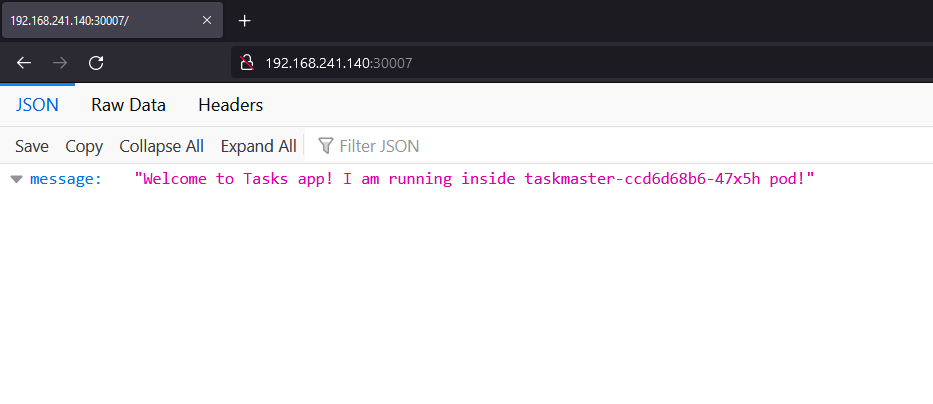
Open the browser and open the URL - http://<public_ip>:30007
successfully access the flask-app
🚀 Deployment of a Reddit-Clone Application
Do Deployment of the Reddit Clone app 📦
Write an ingress controller for the same to give a custom route 🛣️
Clone the Reddit repository to the local system

Run ls to list all the files in the flask-app repo

and create a deployment.yml file to create pods
apiVersion: apps/v1
kind: Deployment
metadata:
  name: reddit-clone-deployment
  labels:
    app: reddit-clone
spec:
  replicas: 2
  selector:
    matchLabels:
      app: reddit-clone
  template:
    metadata:
      labels:
        app: reddit-clone
    spec:
      containers:
      - name: reddit-clone
        image: rohanrustagi18/redditclone
        ports:
        - containerPort: 3000

Create service.yml
apiVersion: v1
# Indicates this as a service
kind: Service
metadata:
  # Service name
  name: reddit-clone-service
spec:
  selector:
    # Selector for Pods
    app: reddit-clone
  ports:
    # Port Map
  - port: 3000
    targetPort: 3000
    protocol: TCP
  type: LoadBalancer

Create ingress.yml
apiVersion: networking.k8s.io/v1
kind: Ingress
metadata:
  name: ingress-reddit-app
spec:
  rules:
  - host: "domain.com"
    http:
      paths:
      - pathType: Prefix
        path: "/test"
        backend:
          service:
            name: reddit-clone-service
            port:
              number: 3000
  - host: "*.domain.com"
    http:
      paths:
      - pathType: Prefix
        path: "/test"
        backend:
          service:
            name: reddit-clone-service
            port:
              number: 3000

Get the service details and port number

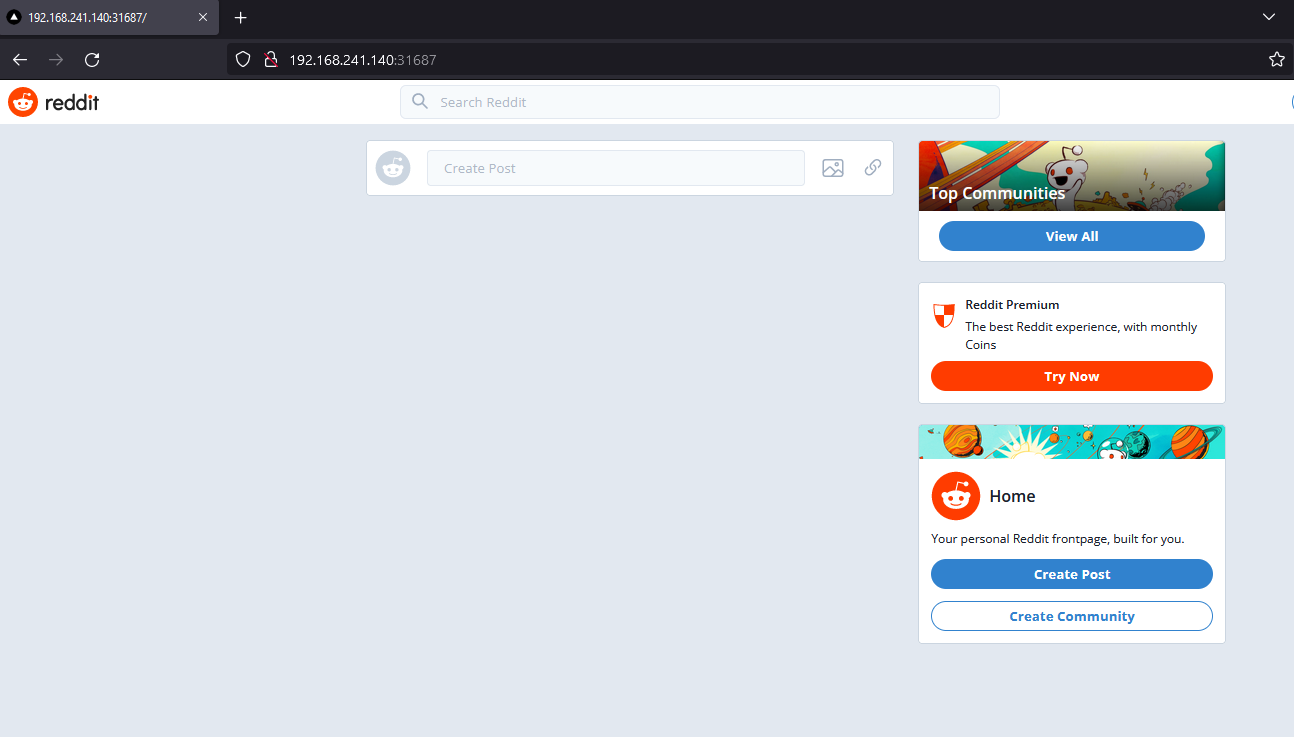
Open the browser and run the URL - http://<public_ip>:31687