Nikhil Patil
👨💻 I love Linux & DevOps! 💻
🐧 Linux👨💻 | DevOps & Cloud Enthusiast | 🌍 Azure Admin | 🛠️ Ansible | 📂 Git | 🐳 Docker | 🔑 OpenLDAP | 🖥️ System Admin | | 🚀 Jenkins 🛠️
🏠 Pune
🌟 I'm really into using and managing computers with Linux. I also like making things work smoothly and quickly.
📖 I work with Microsoft Azure, use tools like Ansible and Git to automate tasks, and make software run in containers with Docker.
🔒 I handle access and security using OpenLDAP, and I'm all about keeping systems running smoothly.
🌐 Exploring opportunities in cloud and DevOps.
📧 Get in touch: nikrpatil1997@gmail.com
📌 Docker
Docker is a software platform that allows you to build, test, and deploy applications quickly. Docker packages software into standardized units called containers that have everything the software needs to run including libraries, system tools, code, and runtime. Using Docker, you can quickly deploy and scale applications into any environment and know your code will run.
📌 Task-1 Use the docker run command to start a new container and interact with it through the command line
docker run hello-world


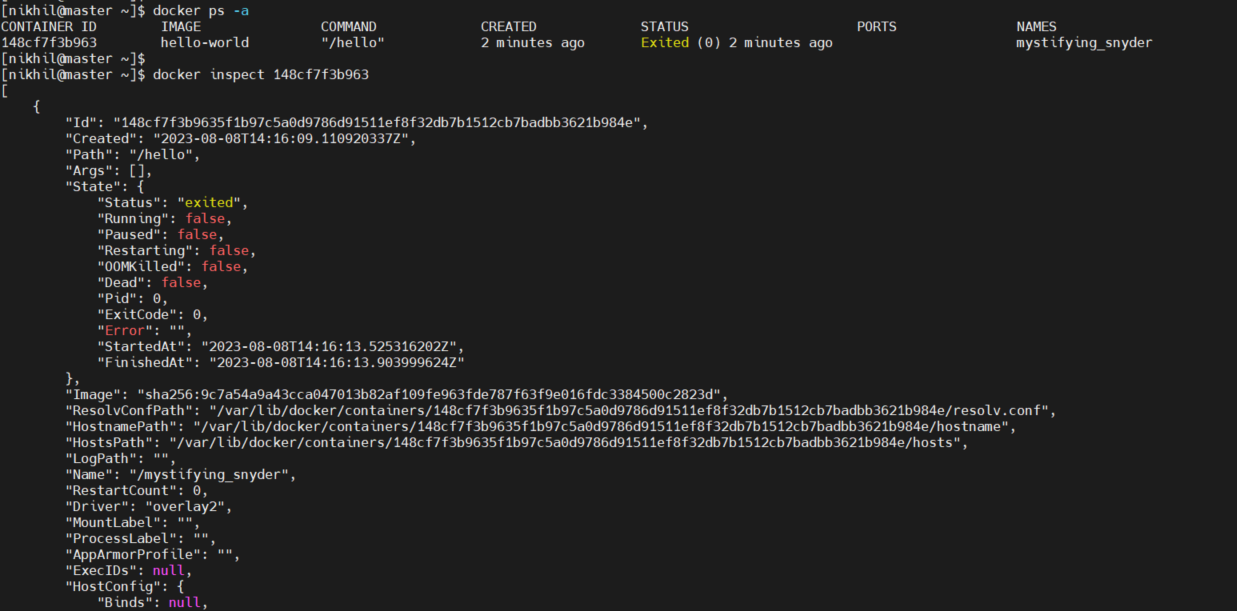
📌 Task-2 Use the docker inspect command to view detailed information about a container or image.
docker inspect <container id>
📌 Task-3 Use the docker port command to list the port mappings for a container.
docker port <container id/name>

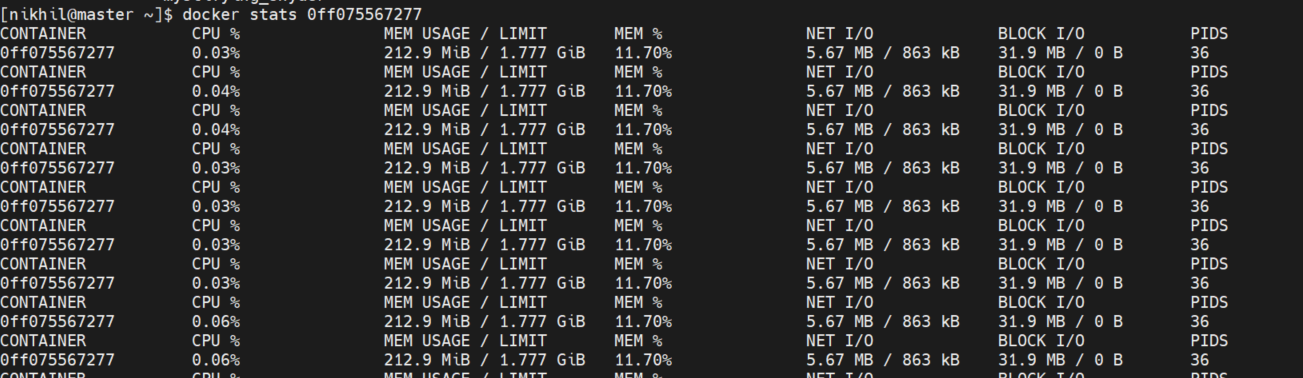
📌 Task-4 Use the docker stats command to view resource usage statistics for one or more containers.
docker stats <container id>
📌 Task-5 Use the docker top command to view the processes running inside a container.
docker top <container id>

📌 Task-6 Use the docker save command to save an image to a tar archive.
docker save -o nginx.tar docker.io/nginx

## -o = to write to a file, instead of STDOUT.

📌 Task -7 Use the docker load command to load an image from a tar archive.
docker load -i  nginx.tar

## -i =  --input string   Read from tar archive file, instead of STDI



