Deep Dive in Git & GitHub for DevOps Engineers.
Day -9 #90daysofdevops
Nikhil Patil
👨💻 I love Linux & DevOps! 💻
🐧 Linux👨💻 | DevOps & Cloud Enthusiast | 🌍 Azure Admin | 🛠️ Ansible | 📂 Git | 🐳 Docker | 🔑 OpenLDAP | 🖥️ System Admin | | 🚀 Jenkins 🛠️
🏠 Pune
🌟 I'm really into using and managing computers with Linux. I also like making things work smoothly and quickly.
📖 I work with Microsoft Azure, use tools like Ansible and Git to automate tasks, and make software run in containers with Docker.
🔒 I handle access and security using OpenLDAP, and I'm all about keeping systems running smoothly.
🌐 Exploring opportunities in cloud and DevOps.
📧 Get in touch: nikrpatil1997@gmail.com
🐙 What is Git and why is it important?
Git is a version control system that is used to track changes in code and files. Git is very helpful to revert the last change or whatever we have written previously. With the help of git, we track changes of everyone who made changes in the file.
🌱 What is difference Between Main Branch and Master Branch??
As new repositories use main as the default branch.
🤝 Can you explain the difference between Git and GitHub?
Git is the version control system that tracks changes in files and codes whereas GitHub is the GUI version of Git that manages repositories.
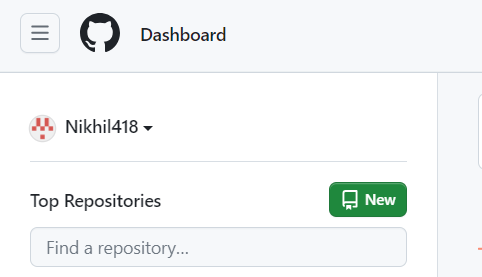
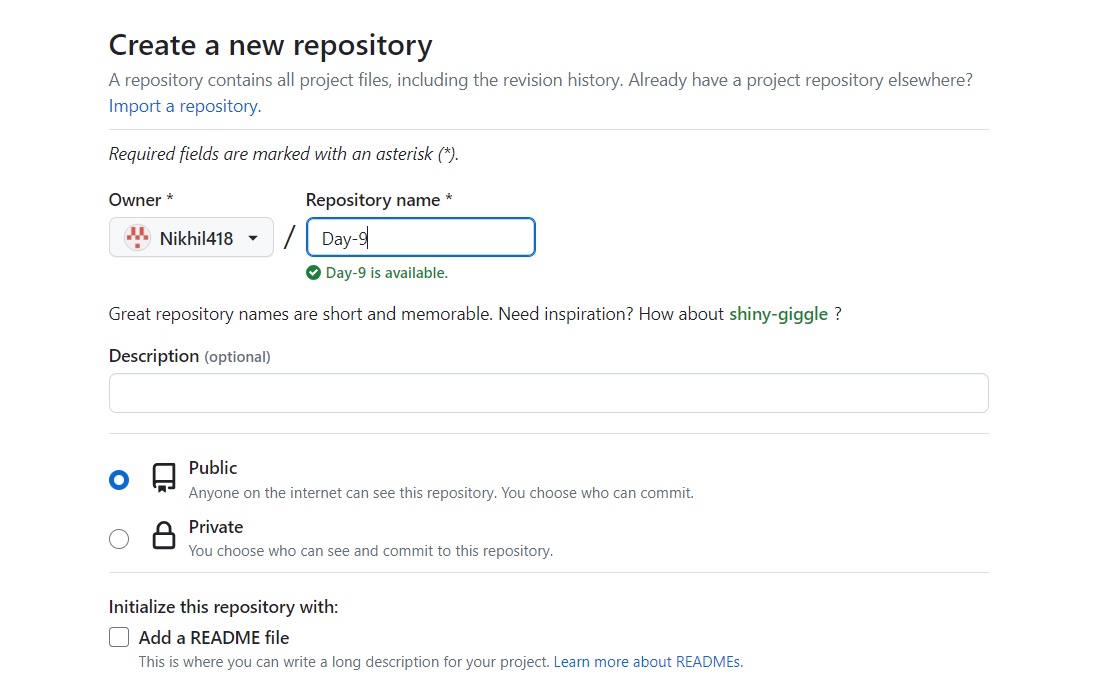
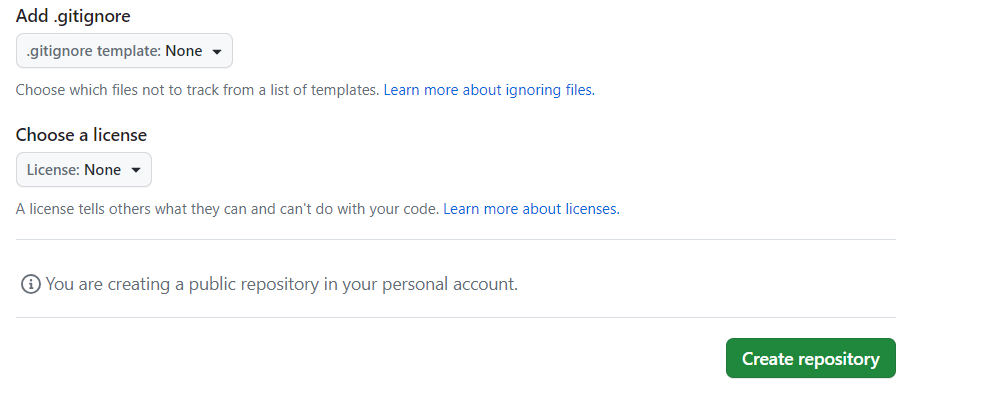
🏞️ How do you create a new repository on GitHub?
Below are the steps to create new repository
🖥️ What is difference between local & remote repository? How to connect local to remote?
The local repository is located in our local machine and the Remote repository is located in GitHub where everyone makes changes or contributes.
📌 Task -1 Set your user name and email address, which will be associated with your commits.
git config --global user.name "Name"
git config --global user.email "Mail address"


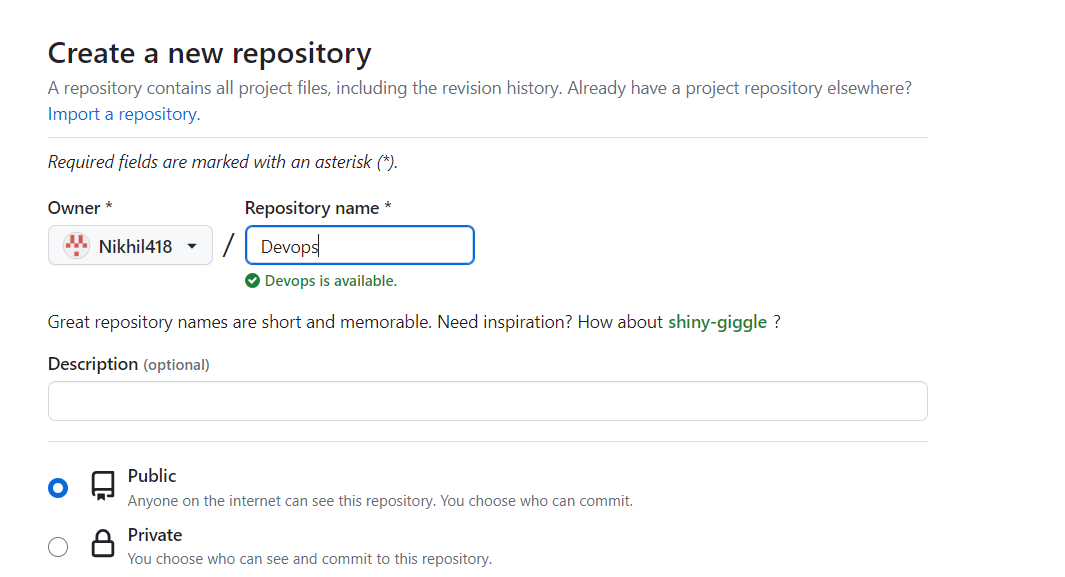
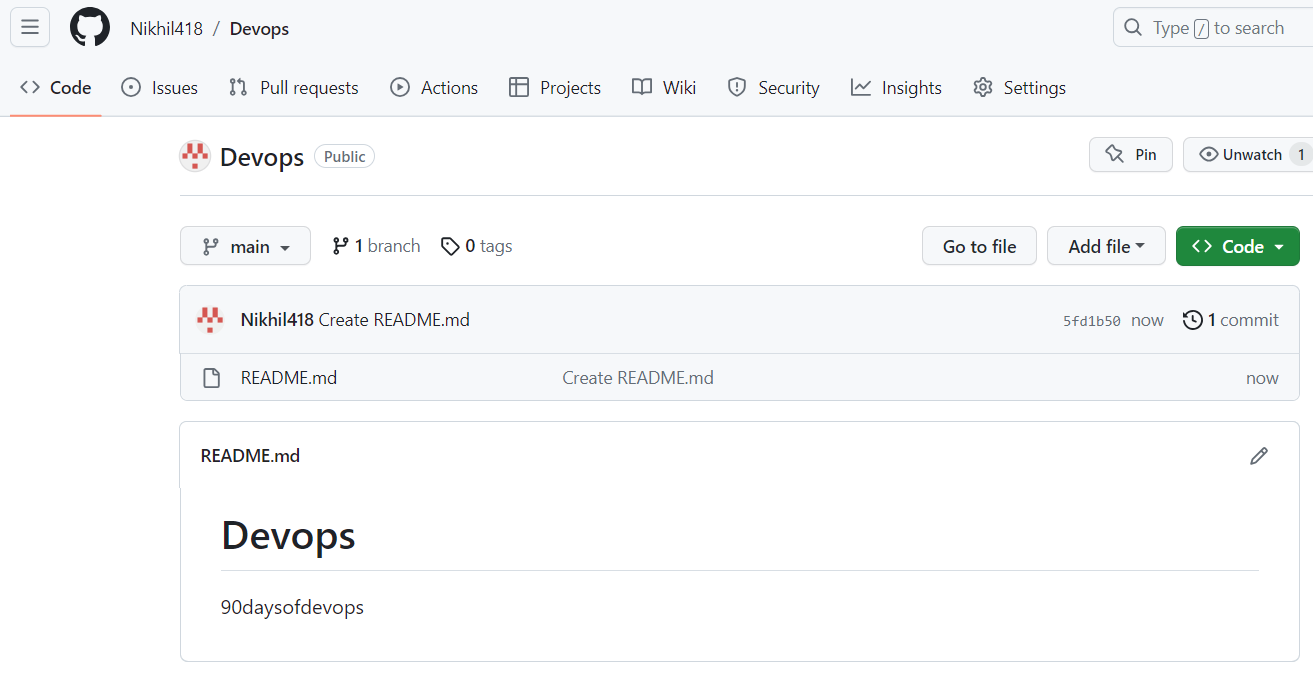
📌 Task -2 Create a repository named "Devops" on GitHub
📌 Task -3 Connect your local repository to the repository on GitHub
## Connect local repository to remote repository

git remote add origin https://github.com/Nikhil418/Devops.git

## Check the connction between remote and local repository
git remote -v

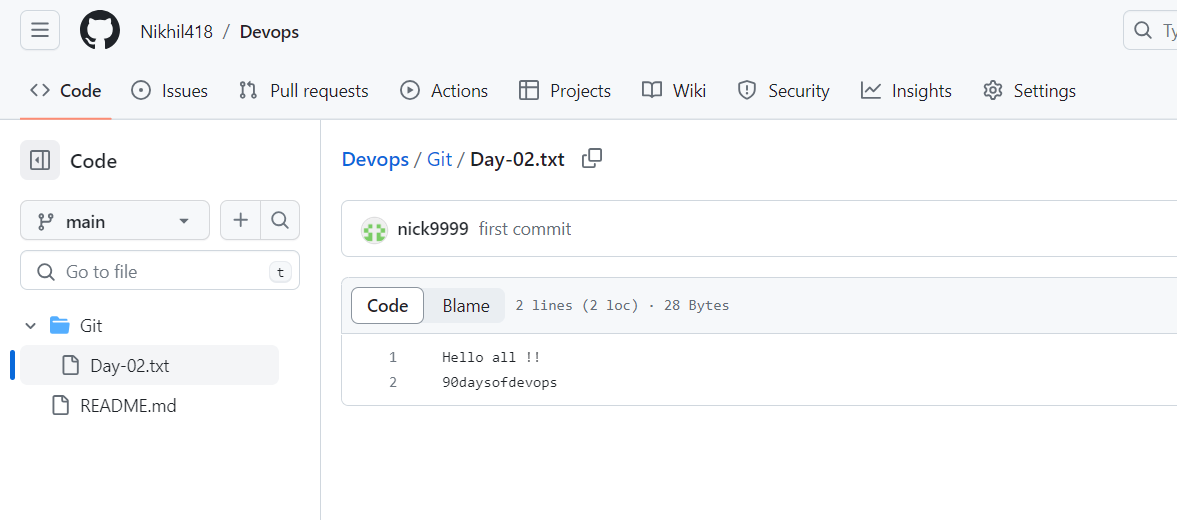
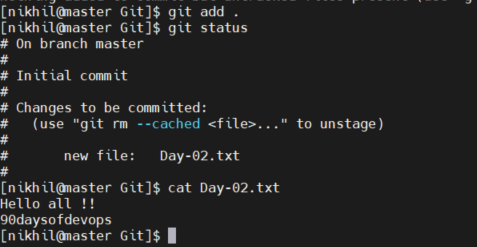
📌 Task -4 Create a new file in Devops/Git/Day 02.txt & add some content to it
## Created /Devops/Git/Day-02.txt file and added content to it
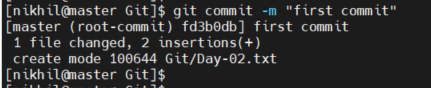
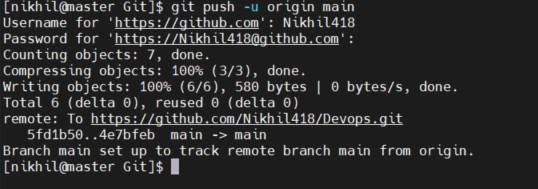
📌 Task -5 Push your local commits to the repository on GitHub
## Commit the changes
## push file to remote repository
## Check changes on github