Day 34 Task: Working with Services in Kubernetes
Nikhil Patil
👨💻 I love Linux & DevOps! 💻
🐧 Linux👨💻 | DevOps & Cloud Enthusiast | 🌍 Azure Admin | 🛠️ Ansible | 📂 Git | 🐳 Docker | 🔑 OpenLDAP | 🖥️ System Admin | | 🚀 Jenkins 🛠️
🏠 Pune
🌟 I'm really into using and managing computers with Linux. I also like making things work smoothly and quickly.
📖 I work with Microsoft Azure, use tools like Ansible and Git to automate tasks, and make software run in containers with Docker.
🔒 I handle access and security using OpenLDAP, and I'm all about keeping systems running smoothly.
🌐 Exploring opportunities in cloud and DevOps.
📧 Get in touch: nikrpatil1997@gmail.com
📌 What are services in K8s
In Kubernetes, Services are objects that provide stable network identities to Pods and abstract away the details of Pod IP addresses. Services allow Pods to receive traffic from other Pods, Services, and external clients.
📌 Task-1: NodePort Service in K8s
Create a Service for your todo-app Deployment from Day 32. Create a Service definition for your todo-app Deployment in a YAML file.
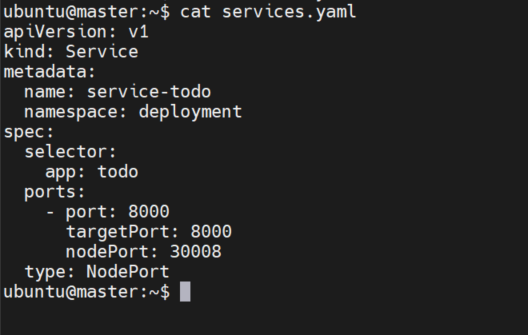
Apply the Service definition to your K8s (minikube) cluster using the kubectl apply -f service.yml -n command.

Verify that the Service is working by accessing the todo-app using the Service's IP and Port in your Namespace.

📌 Task -2 ClusterIP Service in K8s
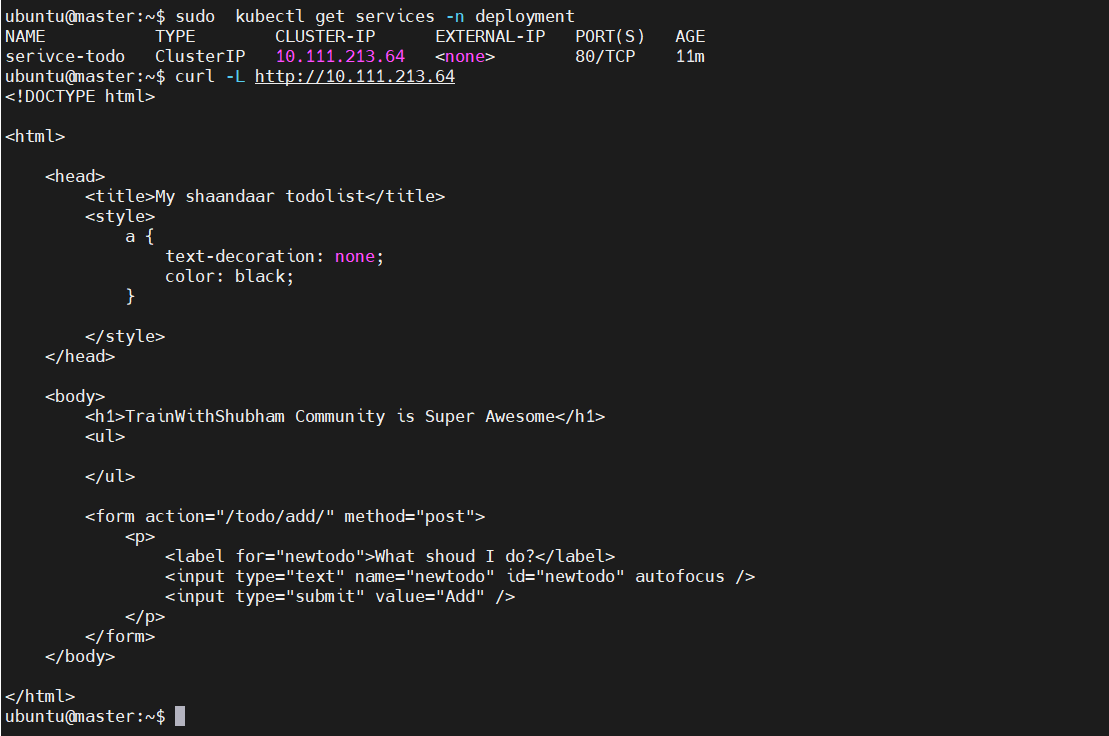
Create a ClusterIP Service for accessing the todo-app from within the cluster
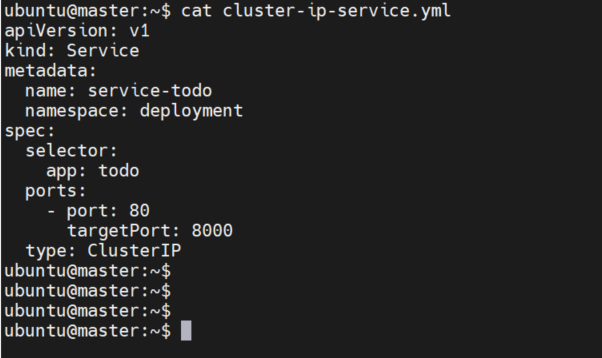
Apply the ClusterIP Service definition to your K8s (minikube) cluster using the kubectl apply -f cluster-ip-service.yml -n command.

Verify that the ClusterIP Service is working by accessing the todo-app from another Pod in the cluster in your Namespace.
📌 Task -3 LoadBalancer Service in K8s
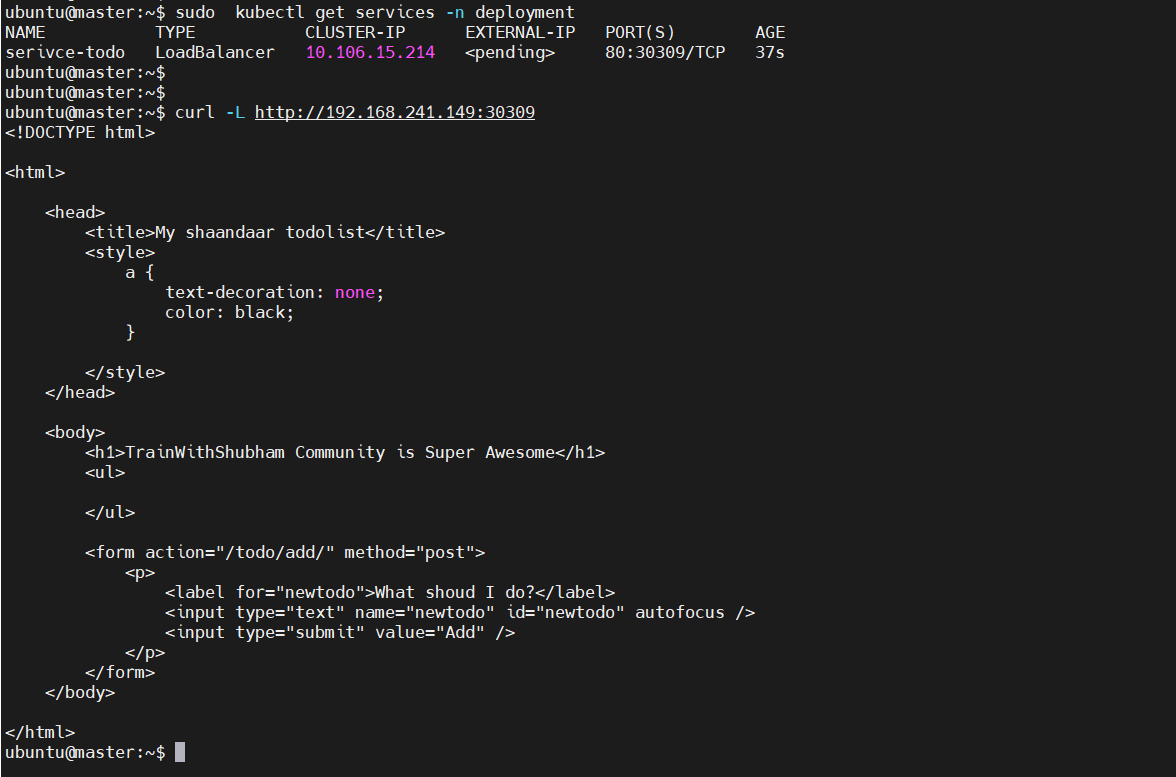
Create a LoadBalancer Service for accessing the todo-app from outside the cluster .
Create a LoadBalancer Service definition for your todo-app Deployment in a YAML file
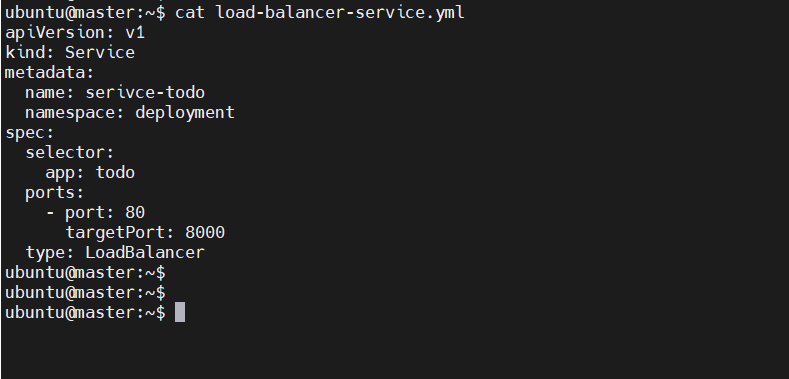
Apply the LoadBalancer Service definition to your K8s cluster using the kubectl apply -f load-balancer-service.yml -n command.

Verify that the LoadBalancer Service is working by accessing the todo-app from outside the cluster in your Namespace.