Basics Linux Command

Nikhil Patil
👨💻 I love Linux & DevOps! 💻
🐧 Linux👨💻 | DevOps & Cloud Enthusiast | 🌍 Azure Admin | 🛠️ Ansible | 📂 Git | 🐳 Docker | 🔑 OpenLDAP | 🖥️ System Admin | | 🚀 Jenkins 🛠️
🏠 Pune
🌟 I'm really into using and managing computers with Linux. I also like making things work smoothly and quickly.
📖 I work with Microsoft Azure, use tools like Ansible and Git to automate tasks, and make software run in containers with Docker.
🔒 I handle access and security using OpenLDAP, and I'm all about keeping systems running smoothly.
🌐 Exploring opportunities in cloud and DevOps.
📧 Get in touch: nikrpatil1997@gmail.com
Day - 2 #90daysofdevopschallenge
Introduction
Linux is an open-source operating system kernel developed by Linus Torvalds in 1991. It's designed to be highly customizable and adaptable to different types of devices.
Basics Linux Command
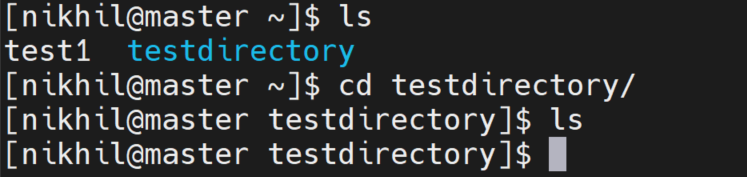
- ls - List files and directories in the current directory.

- cd - Change directory.
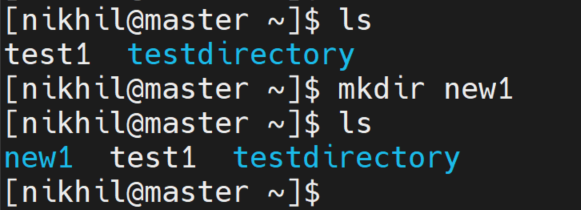
- mkdir - Create a new directory.
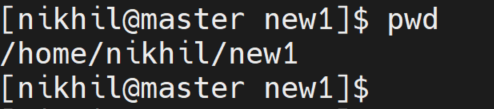
- pwd - Print working directory.
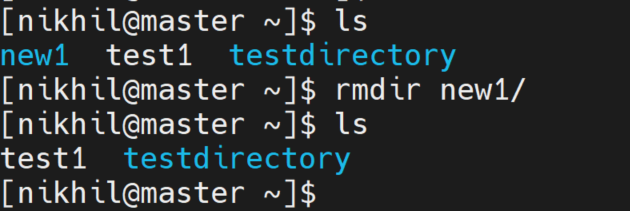
- rmdir - Remove an empty directory.
- touch - Create an empty file.
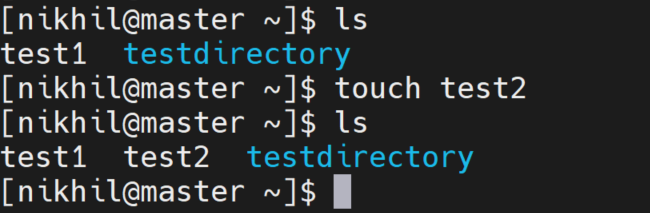
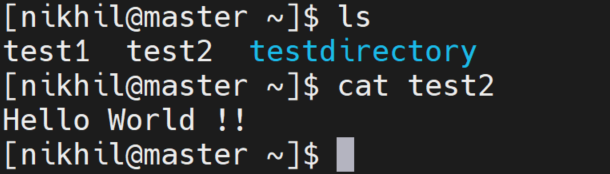
- cat - Display the contents of a file.
Check your present working directory
The pwd command stands for Print Working Directory. It is used to display the current working directory, which is the directory you are currently located in within the Linux file system.
command - pwd
List all the files or directories including hidden files
The ls command is used to list the files and directories in the current directory or a specified directory. It provides a way to view the contents of a directory.
Using the -a option is useful when you want to see all files and directories, including hidden ones, to get a complete view of the contents in a directory.
command - ls -a

Create a nested directory A/B/C/D/E
The mkdir command is used to create a new directory. A nested directory refers to a directory that is located within another directory.
command: mkdir -p A/B/C/D/E
The -p option allows you to create a directory and any necessary parent directories in the specified path.


