Advanced Linux Shell Scripting for DevOps

Nikhil Patil
👨💻 I love Linux & DevOps! 💻
🐧 Linux👨💻 | DevOps & Cloud Enthusiast | 🌍 Azure Admin | 🛠️ Ansible | 📂 Git | 🐳 Docker | 🔑 OpenLDAP | 🖥️ System Admin | | 🚀 Jenkins 🛠️
🏠 Pune
🌟 I'm really into using and managing computers with Linux. I also like making things work smoothly and quickly.
📖 I work with Microsoft Azure, use tools like Ansible and Git to automate tasks, and make software run in containers with Docker.
🔒 I handle access and security using OpenLDAP, and I'm all about keeping systems running smoothly.
🌐 Exploring opportunities in cloud and DevOps.
📧 Get in touch: nikrpatil1997@gmail.com
📝 Introduction
This blog will cover the automation of creating multiple directories, the process of taking backups using cron jobs, and the management of users in Linux.
📌 Task - 1 Create Multiple Directories by Passing Arguments 📁📁
Example -1
#! /bin/bash

name="$1"
first_number="$2"
last_number="$3"

for ((i=$2;i<=$3;i++))

do
mkdir -p "/home/nik/Directory/$1$i"
done
Output:

Example - 2
Output :

📌 Task - 2 Script to Backup Your Work 📜💾
#! /bin/bash

# source and destination path
source_path=/home/nik/Directory
Dest_path=/home/nik/backup

# current timestamp
day=$(date "+%Y-%m-%d_%H-%M-%S")

# tar folder
tar -cvf  $Dest_path/Directory.tar.gz$day $source_path
echo "Backup completed successfully"
📌 Task - 3 What are Cron and Crontab 🕰️🗒️
The crontab is a list of commands that you want to run on a regular schedule, and also the name of the command used to manage that list. It allows users to schedule tasks or commands to run at specific intervals or at predefined times. These scheduled tasks are referred to as corn jobs.
Entry in the crontab file to schedule the above script for daily execution at 11:30. /dev/null This refers to the null device, and writing to it is a way to discard the output.
30 11 * * * /home/nikhil/backup.sh && /dev/null

📌 Task - 4: User Management in Linux 👥🔧
User management in Linux involves creating, managing, and controlling user accounts on the system. Each user account represents a separate identity that can access the system's resources, files, and applications.
# How to create users in linux

sudo useradd <username>
sudo adduser <username>
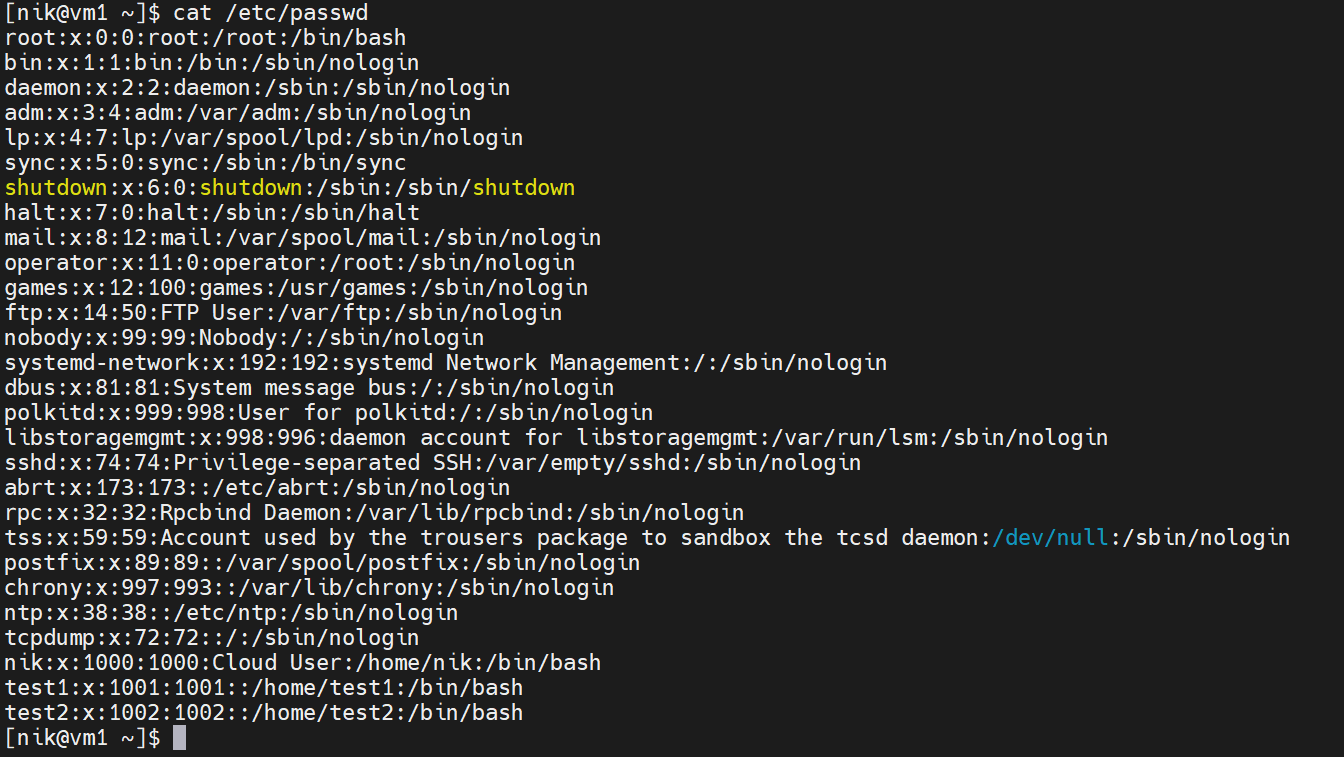
📌 Task - 5 Creating Users and Displaying Usernames 👤👤
sudo useradd test1
sudo useradd test2
# To check usernames

id
cat /etc/passwd
awk -F: '{print $1}' /etc/passwd