Advance Git & GitHub for DevOps Engineers: Part-2
Day-11 #90daysofdevops
Nikhil Patil
👨💻 I love Linux & DevOps! 💻
🐧 Linux👨💻 | DevOps & Cloud Enthusiast | 🌍 Azure Admin | 🛠️ Ansible | 📂 Git | 🐳 Docker | 🔑 OpenLDAP | 🖥️ System Admin | | 🚀 Jenkins 🛠️
🏠 Pune
🌟 I'm really into using and managing computers with Linux. I also like making things work smoothly and quickly.
📖 I work with Microsoft Azure, use tools like Ansible and Git to automate tasks, and make software run in containers with Docker.
🔒 I handle access and security using OpenLDAP, and I'm all about keeping systems running smoothly.
🌐 Exploring opportunities in cloud and DevOps.
📧 Get in touch: nikrpatil1997@gmail.com
📌 Git Stash
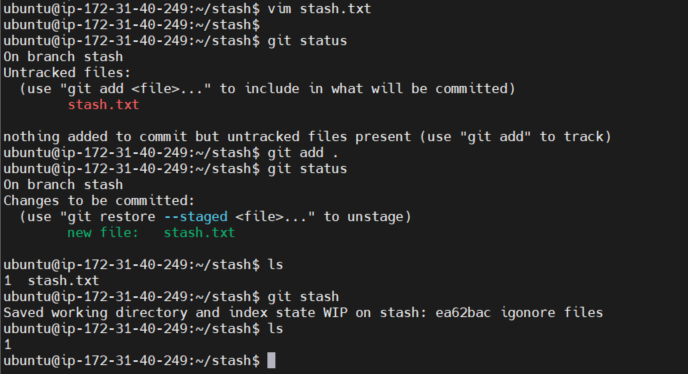
Git stash is a feature in the version control system Git that allows you to save and temporarily store changes that you don't want to commit immediately but also don't want to lose. In when the middle of the work we have to switch to another branch so at the time with the help of git stash we save our previous work but not commit and go to another branch to not lose the previous work and neither commit.
📌 Cherry-pick
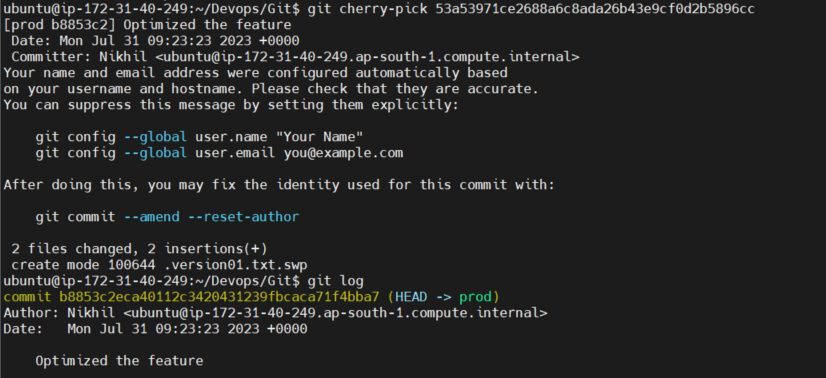
Cherry-pick is used to specific changes from one branch into another without merging the entire branch. sometimes we commit accidentally made to the wrong branch. we can switch to the correct branch and cherry-pick the commit to where it should belong.
📌 Resolving Conflicts
Conflicts can occur when you merge or rebase branches that have diverged, and you need to manually resolve the conflicts before git can proceed with the merge/rebase. git status command shows the files that have conflicts, git diff command shows the difference between the conflicting versions and git add command is used to add the resolved files.
📌 Task-01 Git stash command
Create a new branch and make some changes to it. Use git stash to save the changes without committing them.
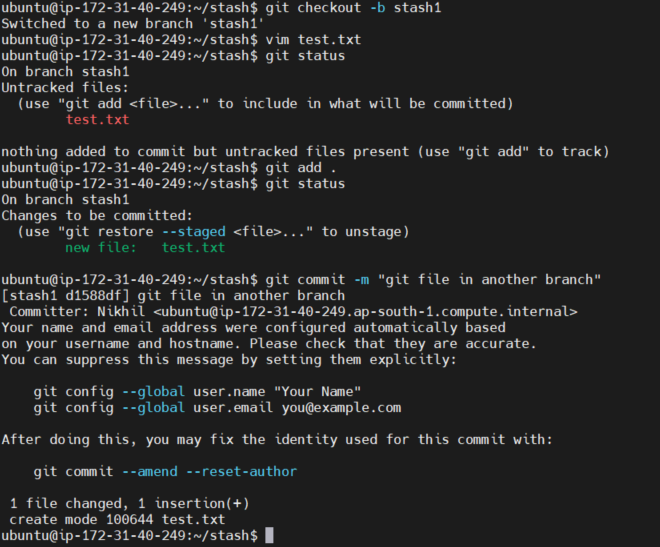
Switch to a different branch, make some changes, and commit them.
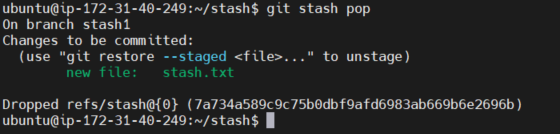
Use git stash pop to bring the changes back and apply them on top of the new commits.
📌 Task-02 Git rebase command
In version01.txt of development branch add below lines after “This is the bug fix in development branch” that you added in Day10 and reverted to this commit.
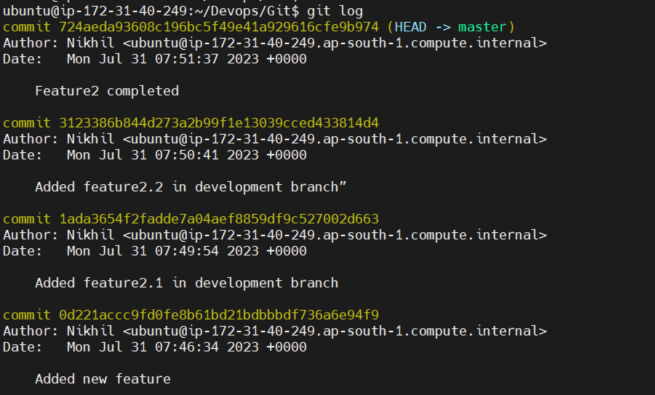
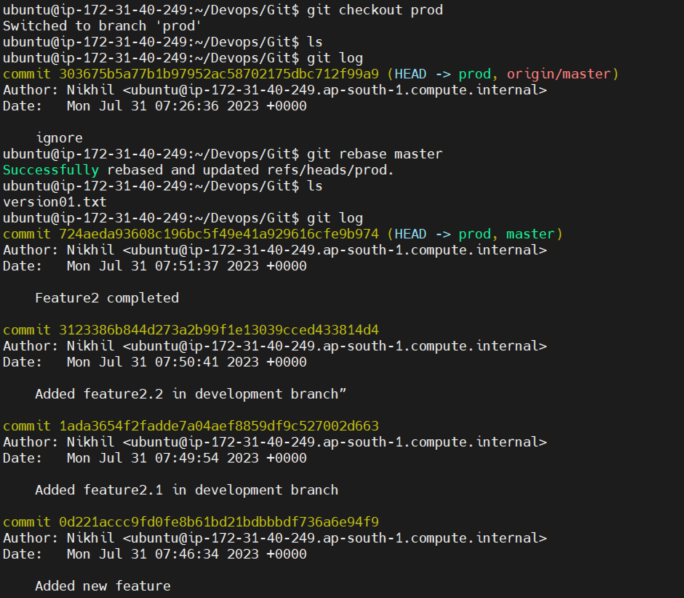
All these commits messages should be reflected in Production branch too which will come out from Master branch
📌 Task-03 Git cherry-pick command
In Production branch Cherry pick Commit “Added feature2.2 in development branch” and
added below lines in it: Line to be added after Line3>> This is the advancement of previous feature
Line4>>Added few more changes to make it more optimized. Commit: Optimized the feature
Command

git cherry-pick <commit id>